
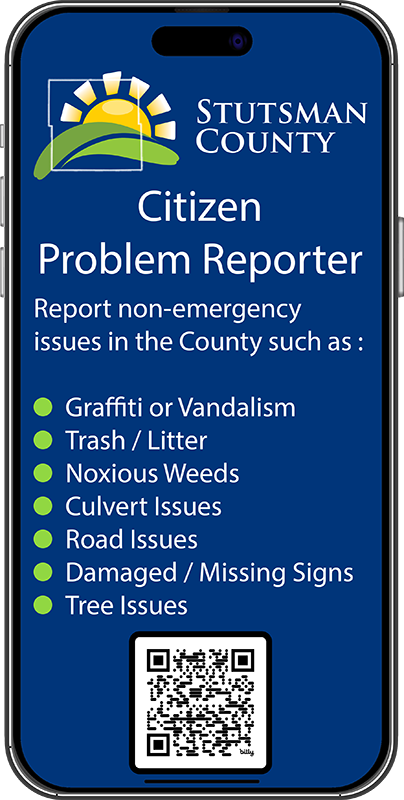
Citizen Problem Reporter
The Stutsman County Citizen Problem Reporter tool is intended to allow the general public to submit non-emergency problems or requests for service in our County. Examples include graffiti or vandalism, overflowing trash cans or litter, presence of noxious weeds, culvert issues, road damage, damaged or missing traffic and street signs, tree issues, etc. The tool has been designed to be mobile-friendly and will work on various devices including your smart phone, tablet and computer.
Reports are reviewed during normal business hours, Monday-Friday, 8:00 AM – 5:00 PM. Reports that are submitted after hours, on weekends, or holidays, may have a delayed response.
Please note that this portal is for reporting County-related issues only. If you wish to report an issue in the City of Jamestown visit https://www.jamestownnd.gov or call City Hall at (701) 252-5900.
Please call 9-1-1 in the case of an emergency. To file a report with the Stutsman County Sheriff’s Office call (701) 252-9000.
If you experience any issues with the tool or have suggestions on how we can improve please let us know at it@stutsmancounty.gov.
Instructions
To submit a new problem report:
- Launch the Citizen Problem Reporter tool.
- Click or tap on the ‘Submit New Issue’ button.
- Pick the location where the problem or issue is located. You can use the search bar to enter an address or, using the map, navigate to the location and left-click or tap to place a marker. You can also use the ‘Find my location’ button on the map to automatically zoom to your current location. Note: You will need to choose ‘Allow’ when prompted to verify if you would like to allow the website to know your location.
- Choose a request category.
- Choose a request type.
- Add any additional details about the issue. Being descriptive will better help us address the issue.
- Enter your name, phone and e-mail. All fields are optional and you may submit issues anonymously. If you would like a department to reach back out to you on your issue, or any kind of follow-up, please at least include an e-mail.
- Add attachments (photos) if necessary.
- Click or tap on the ‘Submit’ button to send.
The issue will then be routed to the appropriate department.
Tips
When viewing the map you will see a vertical row of icons in the top left:
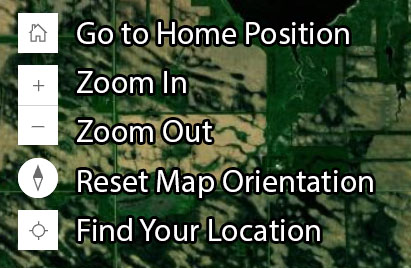
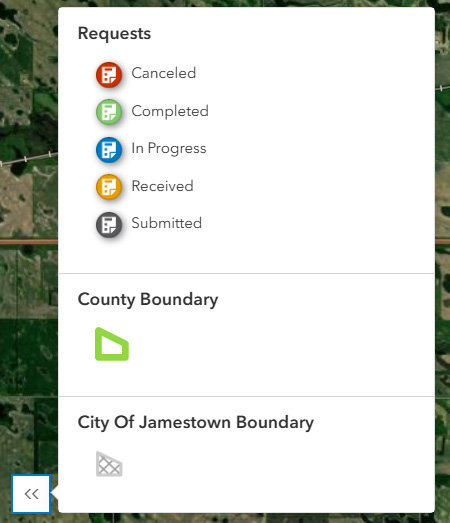
There is also a toggle icon in the bottom left of the map which will show and hide the map legend.

As a problem goes through the phase of being submitted, verified by a County official, and ultimately resolved or fixed, the status icon will change.
Contact
- Information Technology Department
- Josh Smaage – Director Of Information Technology
- 511 2nd Ave SE Suite 102
Jamestown, ND 58401 - (701) 252-9035
- it@stutsmancounty.gov